
How to Schedule WeChat Official Account Posts from Outside China (2026)
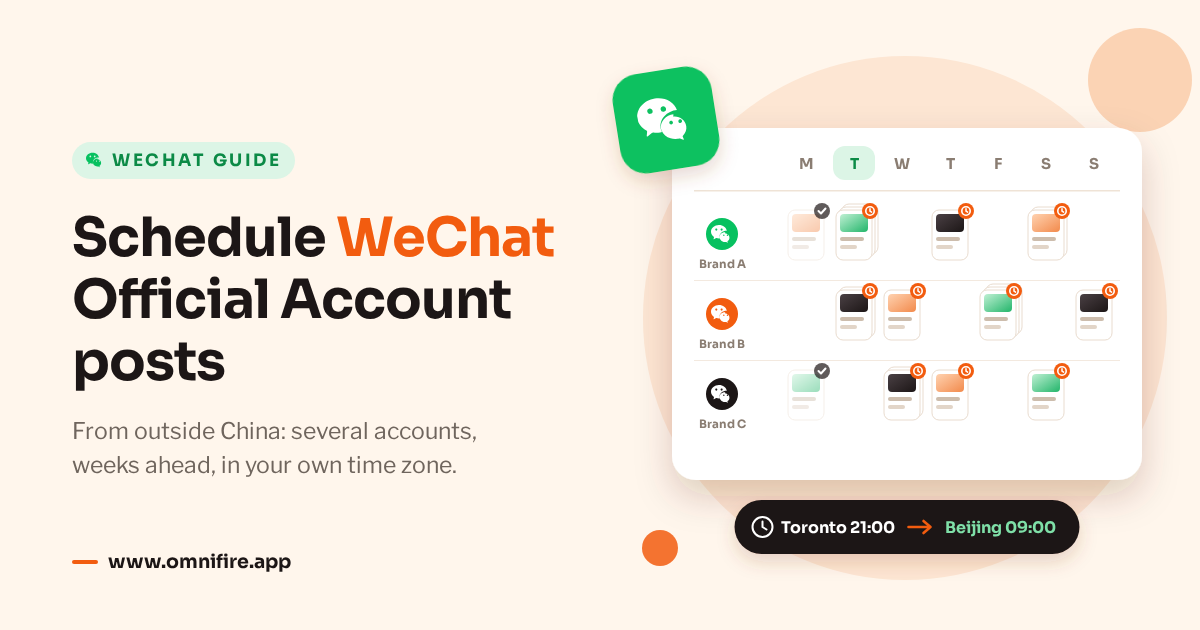
WeChat’s backend lets you schedule a post 5 minutes to 7 days ahead, and an administrator has to confirm each scheduled send by scanning a QR code. Posts that notify followers count against a quota: once a day for subscription accounts, four times a month for service accounts. An API-based scheduler lets a team outside China plan further ahead, across several accounts and in its own time zone, but WeChat’s quota stays exactly the same.
If you run a WeChat Official Account from another country, you’re juggling two sets of rules. WeChat’s decide whether followers get a notification. Your own decide who reviews the Chinese copy, whose phone does the scanning, and which time zone a scheduled time refers to.
This post is about Official Account publishing, not scheduling a private chat message, in case you landed here searching for “WeChat schedule message”. We make OmniFire, and we checked the features below against the product and its code. WeChat’s rules are as of October 2026.
Two kinds of post: with or without a notification
WeChat merged mass sending [群发] and publishing [发布] into a single action, publish [发表]. When you publish, you choose whether to send follower notifications [群发通知], and the switch is on by default. It’s worth deciding that during planning, not on the last screen before you hit publish.
With notifications on, the post appears in followers’ Official Accounts list and chat as well as on the account’s profile page, and it uses up the old mass-send allowance. With notifications off, it only appears on the profile page and nothing is pushed to followers.
| Mode | Who sees it | Limit |
|---|---|---|
| Notification on | Followers; also profile | Subscription: 1/day; service: 4/month |
| Notification off | Profile visitors | No posting-count limit |
Posts without notifications can be scheduled as well. So planning comes down to two questions: which articles go on the profile, and which of those deserve one of your limited notifications. Profile posts are unlimited; notifications aren’t.
What WeChat’s own scheduler does
The backend schedules mass sends from 5 minutes to 7 days ahead. If the content is ready and the date is inside that window, the native scheduler may be all you need. For anything further out, keep the plan somewhere else and enter the native schedule once the date comes into range.
To set a scheduled send, the administrator scans a QR code and confirms on their phone. If your editor is outside China and the administrator is inside it, or the other way round, you’ll need to agree on a time when both are awake, ideally before the reviewer has logged off for the day.
A scheduled mass send uses up the allowance for its date as soon as it’s set, not when it goes out. On a subscription account, scheduling tomorrow’s notified post means there are no notified sends left for tomorrow. On a service account, four scheduled notified posts this calendar month use up the whole month.
Cancel before the scheduled time and the count comes back. That’s why it’s worth looking at what’s already scheduled before assuming a date is free. The allowance is the same for verified and unverified accounts, can’t be raised, and doesn’t roll over on subscription accounts.
Note that the limit is on notifications, not on scheduling. The backend will happily hold several scheduled posts; what you’re really planning around is the notification allowance and the 7-day window.
Where it gets hard for teams outside China
Pick the time you want the audience in China to read the post, and write the time zone next to it in the brief. A team in Toronto or Berlin passing around a time with no zone will sooner or later have it read differently by someone working on China time. Keep audience time and editor time separate all the way through review.
With several brands or regions, each Official Account has its own backend and its own allowance, so plan account by account. One account might need a notified announcement while another only needs a profile article. Check account names along with the copy.
The phone step needs an owner too. Before you book a session to enter native schedules, write down who can do the administrator confirmation. For a launch more than a week away, approving the content and entering the native schedule are two separate tasks, often days apart.
If the campaign also runs on Instagram or LinkedIn, decide what goes on each network before you schedule anything. Agreeing on a launch date is one thing; someone still has to check the WeChat article and its notification mode.
None of the Western schedulers we looked at for our 2026 global-team tools roundup listed WeChat. If you need it, look for the integration by name. “Supports all major networks” on a homepage usually leaves WeChat out.
Scheduling WeChat posts with OmniFire
OmniFire connects each Official Account through WeChat’s own authorisation. The administrator scans once to connect, and after that, publishing and scheduled posts don’t need a scan each time. The WeChat Official Account scheduler page has the details.
Choose accounts, articles and notification mode
Pick the Official Accounts that should get the content; one post can go to several. Then choose 群发 to notify followers, or 发布到文章库 to publish to the article list without a notification. The second option isn’t pushed and doesn’t touch the notification quota.
One post can hold up to 8 articles, each with its own title, cover, digest and author. A bundle counts as one post, not several notified sends, so it pays to decide which articles go together before you pick a date.
The WeChat editor has headings, colours and tables, plus layout themes and templates such as business, tutorial and product. They keep articles looking consistent, but they’re only layout. Someone still has to read the article itself.
Set the date and time zone
OmniFire doesn’t limit how far ahead you schedule or how many posts you queue, as long as each is at least 1 minute out. Every schedule carries its own time zone. OmniFire holds the schedule and calls WeChat at the set time, so the native backend’s 7-day window itself doesn’t change.
That means you can plan a month of content ahead while your notification allowance stays where it was. In scheduled publishing, keep track of which entries are notified posts and check each account’s quota. The number of entries on the calendar and the number of notifications you have left are two different things.
On subscription accounts, scheduling, publishing or rescheduling a second notified post on the same Beijing calendar day brings up a warning and asks you to confirm. It won’t stop you. It also doesn’t check a service account’s monthly allowance.
If the quota is used up when the post goes out, WeChat rejects it. OmniFire then shows “群发次数已超限” and suggests switching to article-list mode. So treat the warning as a prompt to rethink the plan; confirming it doesn’t buy you an extra send.
Keep review and follow-up in the plan
You can also push an article to the account’s WeChat backend as a draft and publish it there by hand. That’s useful when the last step has to happen in the backend, and it’s the option OmniFire gives unverified accounts.
OmniFire’s interface comes in 20 languages. Approval workflows start on Business, and agencies can limit members to specific clients. When you set up team review, name the person who signs off the Chinese copy, since an English interface does nothing to check the Chinese text.
WeChat comments and messages land in the engagement inbox, and WeChat analytics are on the dashboard, so make sure someone owns replies after publishing. The same content can also go to 14 other networks, Instagram, LinkedIn and TikTok among them. Check each destination before you confirm.
Limits to know before you choose it
- Direct publishing needs a verified account. Since July 2025, unverified accounts can’t use WeChat’s publish API, so you push a draft and finish by hand.
- WeChat’s notification quota still applies. OmniFire’s notified sends go to all followers, with no tag-based targeting, and can’t reach non-followers.
- The article API doesn’t support audio. If you need it, push a draft and add the audio in the WeChat backend.
- Arbitrary third-party links need a verified service account with WeChat Pay. Without that, links are limited to WeChat articles and collections.
- There’s no free plan. Prices start at $19.99/month, with a 7-day trial and no card needed to start. Pricing shows what each plan includes.
Checklist before you schedule a month of WeChat posts
- Account type. Subscription accounts get one notified send a day; service accounts get four per calendar month. Count native scheduled sends that are already pending.
- Notification mode. Mark which announcements need a notification and which articles are profile-only. The switch is on by default.
- Verification. Work out whether you can publish directly or need to push a draft and publish by hand.
- Time zone. Line up audience timing in China with your team’s local time. OmniFire’s same-day subscription warning goes by the Beijing calendar day.
- Approval. Before you set dates, name the Chinese-language reviewer and, for native scheduling, the administrator who will scan.
- Title. WeChat’s mass-send title limit is 64 bytes, or 32 Chinese characters. The social-media character limits guide covers the campaign’s other destinations.
Frequently asked questions
Can you schedule posts on a WeChat Official Account?
Yes. The native backend schedules posts, including ones without follower notifications. For scheduled mass sends, the administrator scans and confirms on their phone. Decide on notifications before you schedule.
How far ahead can I schedule a WeChat post?
WeChat’s backend allows scheduled mass sends 5 minutes to 7 days ahead. OmniFire has no maximum and sends through WeChat at the time you pick, as long as it’s at least 1 minute out. Notification quotas still apply.
How many times a day can a WeChat Official Account send a 群发?
A subscription account can notify followers once a day. A service account gets four notified sends per calendar month, not per day. Posts without notifications have no count limit, and verification doesn’t raise the quota.
Can I manage several WeChat Official Accounts from one dashboard?
Yes. OmniFire supports several Official Accounts, and you can select more than one in a post. Each account keeps its own notification allowance, though; they aren’t pooled.
Do I need a verified account to publish through a scheduling tool?
For direct publishing through WeChat’s API, yes. For unverified accounts, OmniFire offers push draft, and you finish publishing by hand in the WeChat backend. It’s worth knowing which applies before you hand out the final publishing task.
Sources: Tencent’s help pages on publishing modes, mass-send rules, notification quotas and scheduled sends, checked October 24, 2026. WeChat changes these rules from time to time, so confirm them in its help centre before you plan.