
OmniFire 2.2 adds custom covers for YouTube Shorts
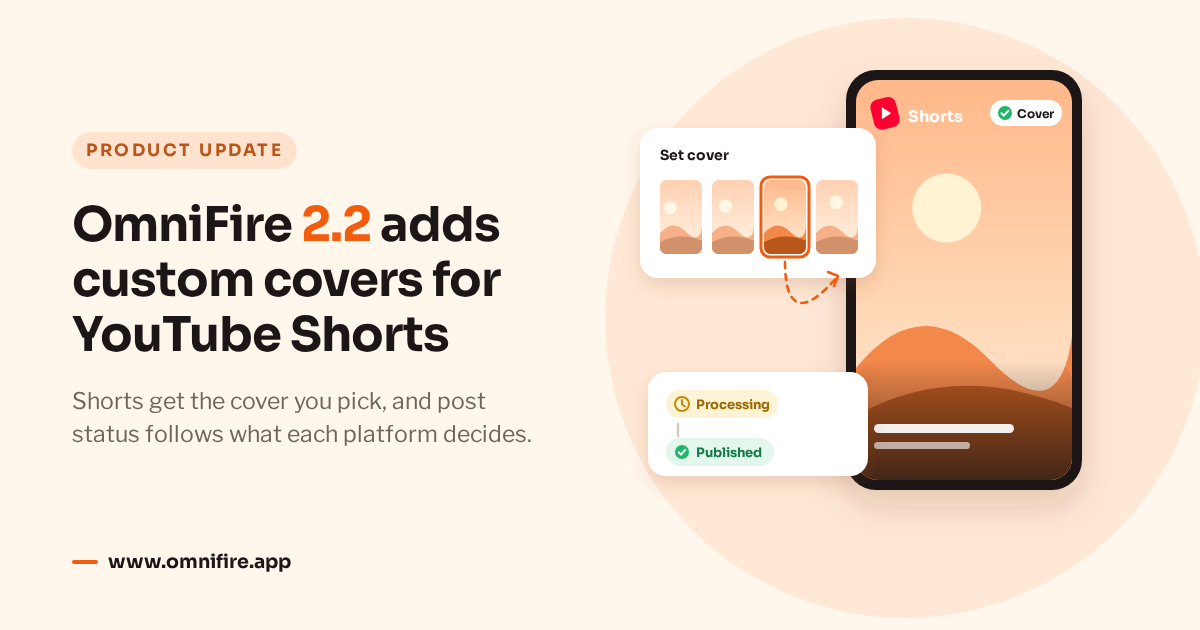
OmniFire 2.2 is live. The headline change is for YouTube Shorts: the cover you set when you publish now actually ends up on the video. We’ve also reworked how several networks report back after publishing, so what OmniFire shows for your videos and WeChat articles matches what happened on the platform.
Custom covers for YouTube Shorts
When we released 2.1 last month, we said YouTube didn’t let other apps set a cover on a Short. In early November YouTube changed its API to allow it. There’s one catch: the cover only takes if it’s set after the video has finished processing.
So OmniFire uploads the video, keeps an eye on YouTube’s processing in the background, and sets your cover as soon as processing is done. None of this holds up your other posts, and you don’t need to stay on the page. On a typical Short, the cover appears a few minutes after processing finishes.
Setting a cover works the way it always has. Whether you post a Short video or tick YouTube Shorts on a regular post, click Set cover and pick a frame from the video or an image from your library. We’ve also removed the note in the cover dialog that said Shorts covers weren’t supported.
YouTube crops Shorts covers to 9:16, so a frame taken from a vertical video already fits. YouTube also treats any vertical video up to 3 minutes long as a Short. For those videos OmniFire waits for processing before setting the cover even if you didn’t tick Shorts. Landscape and longer videos are unaffected and still get their cover right after upload.
If a cover can’t be set, the post tells you why. Most often the channel isn’t phone-verified yet. YouTube only allows custom covers on verified channels, and you can verify yours in YouTube Studio. OmniFire also stops and lets you know if the video still hasn’t finished processing after 6 hours, or if it failed processing, was rejected or was deleted. In that case, check the video itself in YouTube Studio.
Post status now follows the platform
On a lot of networks, a post isn’t really out until the platform has finished with it. YouTube processes the video, WeChat reviews articles and checks original-content claims, Bilibili reviews every upload, and TikTok, Facebook video and Kuaishou all take a while to process. OmniFire used to know only that the platform had accepted the post. Sometimes a post showed as Published the moment it was uploaded and never changed, even when the platform turned it down later. Other times it was marked failed after five minutes without an answer, and the video went live a little later anyway.
2.2 adds a status for that in-between stage: Processing. Once a platform accepts your post, it shows as Processing while OmniFire keeps checking. When the platform gives its final answer, the post moves to Published or Failed, and a failure comes with the reason and what to do about it.
On YouTube, for example, processing failures, duplicate videos, copyright or policy problems, and closed or suspended channels are now labelled separately. A video that failed processing usually goes through once you export it again as a standard MP4 (H.264 video, AAC audio). A WeChat article that fails the original-content check, isn’t approved in review or gets blocked after publishing now shows exactly that, where it used to sit at Published. Broadcast results come straight from WeChat’s notifications and update as soon as WeChat has them. Bilibili review results never used to reach OmniFire; a rejected video is now marked as rejected, and the creator center has the reason. On TikTok and Facebook video, a slow platform no longer turns into an early failure, because OmniFire waits for the platform to confirm. Kuaishou videos show as Processing while they’re being transcoded.
Facebook video Stories get their own fix. If Meta was slow to process the video, the Story used to be dropped. Now OmniFire waits until the video is ready and then posts it. A Story is time-sensitive, so the wait is capped at 2 hours, after which the post is marked as a processing timeout.
WeChat accounts with API broadcast protection turned on need an admin to approve every broadcast sent through the API. If the admin rejects it, or nobody approves it within 30 minutes, the post now says Broadcast rejected by admin or Broadcast not approved. You can retry and approve it in time, or turn the protection off in the Official Accounts Platform under 设置 › 安全中心 › 风险操作保护.
A post in Processing already exists on the platform, so you can’t retry, cancel, edit or delete it from OmniFire until it’s resolved. If the platform has already given a link, you can open it. If there’s still no answer after 48 hours, the post is marked Not confirmed; check the platform to see whether it went out before you post it again, so it doesn’t appear twice. A post that was deleted on the platform while processing shows as Deleted. Success and failure emails also wait for the final answer.
App Store data
For apps with only a few users, Apple doesn’t publish daily reports, only weekly and monthly ones. OmniFire’s app table used to read daily reports only, so App Store uninstalls were always blank and active devices only showed up in an app’s details. Both are now in the table as Uninstalls and Active devices (avg). Figures taken from a weekly or monthly report are tagged weekly or monthly, and partial means Apple only reported some of the days.
The trend chart has changed to match. Uninstalls get one line per store or per app, using Apple’s weekly or monthly figures where there’s no daily report. The new Active devices metric is App Store only, with a separate line for each app that is never added to the others. Next to 7, 30 and 90 days you can now pick 1 year or All, which goes back to January 1, 2024. Beyond 90 days, each point on the chart is a weekly total.
Inbox
When you publish a long post in parts, your own follow-up parts show up in that post’s comments. In 2.1 this worked on X, Bluesky and Mastodon, and it now works on Threads, Instagram and LinkedIn too. Your replies to other people’s comments on Instagram (Instagram Login) and LinkedIn also appear in those conversations now.
One message is more accurate, too. When a platform’s API quota ran out, the inbox used to tell you to check your connection, which wouldn’t have helped. Now it says the platform’s API quota is temporarily used up, and OmniFire retries by itself.
Also fixed
Roughly once an hour, pages and lists would freeze for about 8 seconds and sidebar clicks seemed to do nothing. That’s fixed.
Everything above is live for every workspace. If you haven’t tried OmniFire yet, you can start a 7-day free trial.