
What’s new in OmniFire 2.1
OmniFire 2.1 is out. Most of the changes come from things people run into every day: writing one post for several networks, preparing vertical video, asking AI for help without losing control of the text, and keeping up with the replies that come back. Here is what’s different.
Long posts now go out in full
Every network has its own length limit: 280 characters on X, 300 on Bluesky, 500 on Threads. Until now, what happened to a long post depended on where it was going. Some networks cut off the end, some rejected the post, and some split it into a thread without numbering.
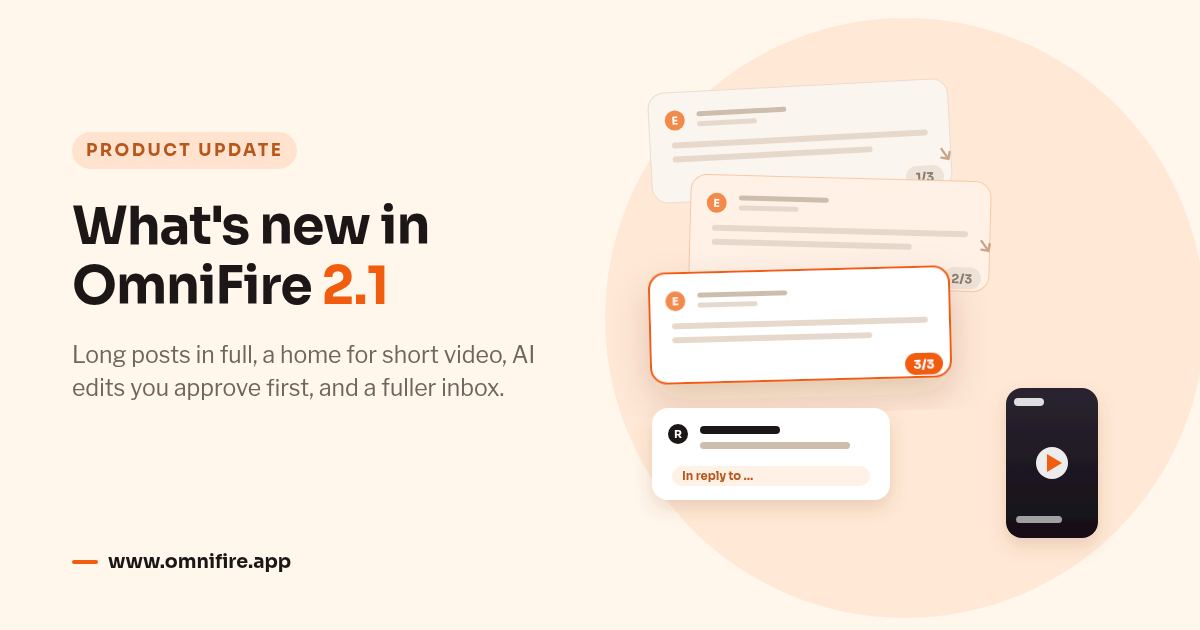
In 2.1 the rule is the same everywhere. When your text is longer than a network allows, OmniFire splits it into numbered parts, (1/3), (2/3), (3/3), and continues it in whatever way that network supports:
- On X, Threads, Bluesky and Mastodon, the extra parts are posted as replies, forming a thread.
- On Telegram and Discord, they follow as messages in the same chat or channel. On Telegram they are sent silently, so subscribers get one notification, not three.
- On Instagram, LinkedIn and YouTube, the rest of the text is added as comments from your own account under the post.
OmniFire breaks the text between paragraphs or sentences wherever it can, and never in the middle of a link, a mention, a hashtag or an emoji.
Some places have no way to continue a post: Facebook, TikTok, Pinterest, Weibo, Douyin, Kuaishou, Bilibili, Instagram Stories, and YouTube videos that can’t receive comments. There the text is still shortened, but the preview tells you before you publish rather than after.
In fact the preview now spells out, for each account, exactly what will happen: posted as three numbered parts, shortened, or too long by about so many characters. Characters are counted the way each network counts them. On X every link counts as 23 characters, and YouTube descriptions are measured in bytes. The YouTube change matters for Chinese text in particular: long Chinese descriptions used to be rejected by YouTube, and now they go through.
A post can be split into at most 10 parts. If an account would need more, you can’t publish, schedule or submit it for review until you trim the text, but you can always save a draft. If publishing stops partway through, Retry continues from the missing part instead of posting part one again, and Delete removes every part. Once a post has gone out in several parts, it can no longer be edited from OmniFire.
Short video has its own post type
A vertical clip used to be just an attachment on an ordinary post. Now you can choose Short video when you create a post: one video, one caption, and a 9:16 preview where you can play the clip, replace or remove it, and set a cover.
A short video can go to Facebook Reels and Stories, Instagram Reels and Stories, YouTube Shorts, TikTok and Kuaishou. Drafts and posts waiting for approval keep everything you chose, including the destinations and the cover.
Two smaller changes: you can now pick a cover frame from videos up to 1 GB, up from 150 MB. And when YouTube Shorts is selected, the cover dialog reminds you that YouTube doesn’t let other apps set a custom Shorts cover.
AI shows you its edits before anything changes
AI suggestions used to go straight into your text. Now every AI action, including polish, create, fix, the toolbar modes in the long-form editors and title suggestions, first opens a side-by-side view of your text and the suggested version. Nothing changes until you apply it, and one undo puts it back. For titles, you can pick a suggestion, edit it and check it against the field’s length limit before using it.
There is also a new Shorten action for tightening a draft, and every AI menu shows how many AI uses you have left this month.
Text styles, and working links on Bluesky
Every editor and reply box now has a Text styles menu with bold, italic, underline, strikethrough, 20 Unicode fonts, decorative styles, upside-down text, list markers and a way to keep blank lines. Links, mentions, hashtags and email addresses are left untouched so they keep working, and AI keeps your styling when it edits the text.
These styles are built from special Unicode characters, so they may not show up in search and screen readers may not read them. The menu says so. They work best for a few words of emphasis, not whole paragraphs.
On Bluesky, links, mentions and hashtags in your posts are now clickable, and the first link gets a preview card.
More of the conversation reaches your inbox
Replies, mentions and direct messages on X now arrive almost immediately instead of waiting for the next sync.
Messages that used to appear blank now show what was actually sent: photos, voice notes, stickers, files and shared posts from Messenger, Instagram, Telegram, WhatsApp, WeChat and Discord. If one of your WhatsApp replies isn’t delivered, you’ll see that too. And when Meta doesn’t share a message’s content, the inbox explains why instead of showing an empty bubble.
A number of gaps are closed as well:
- New comments on older Facebook and Instagram posts come through, not only those on recent posts. Replies to Facebook comments come through too.
- Threads shows the whole conversation, including nested replies and your own, and you can delete your own replies.
- Mastodon adds mentions, replies to older posts, boosts, favourites and direct messages.
- Bluesky adds Chat messages, which you can answer, as well as reposts and quotes.
- Telegram picks up group messages that mention or reply to your bot, and Discord picks up threads in the connected channel. Edits on both are reflected in the inbox.
- LinkedIn now reads every reaction on a post, not just the first 50.
- On WeChat, you can send at most five replies to a follower’s message within 48 hours. OmniFire now stops a sixth reply before it’s sent, instead of letting it fail.
- For the App Store, you can delete your own developer reply, and your full review history is imported.
Conversations are easier to follow, too. Each reply shows which message it answers, and you can jump straight to it. Every row in the list reads the same way: who, where, and what they said. When you publish a long post as a thread, your own follow-up parts appear in that post’s comment thread, so it’s clear which part people are replying to.
Analytics
Analytics Overview and the dashboard have a new impressions and views card. It uses account-level figures where the network provides them and the growth of your tracked posts where it doesn’t, without counting anything twice. Saves are now counted for X, Bluesky and Bilibili. Video posts show their covers, and dashboard cards state the period they cover.
If you look after apps, there is a new Usage & stability section. For the App Store it shows deletions, sessions, active devices and crashes. For Google Play it shows store listing visitors and acquisitions, crashes, ANRs, and 28-day crash and ANR rates. Apple doesn’t publish daily figures for smaller apps, so in that case you’ll see Apple’s weekly or monthly numbers instead.
Smaller changes
- Any draft, scheduled post or published post can be duplicated into a new post, with its content, accounts, platform settings and classification.
- Classification works on all six post types, including drafts and posts in review.
- Every post type can import media from your cloud drive.
- When you reply to, repost or quote a post by its link, you choose the action first and see a preview of that post. These can be saved as drafts or sent for approval.
- For a WeChat subscription account, OmniFire warns you before a second mass send on the same day (Beijing time) and shows the one already planned. You can still go ahead.
- YouTube tags are entered one at a time and counted toward the 500-character limit the way YouTube counts them.
- Reconnecting an account no longer resets its client and brand.
- Bilibili connections now renew every week, so they no longer expire after 180 days. If a renewal is refused, the connection keeps working until its original expiry date and you’ll get email reminders.
- Notification emails say which workspace they’re about, and their links open that workspace.
- Eligible new users can start the 7-day trial without a card. Without one, the workspace pauses when the trial ends. You can add a payment method at any time from Billing or the trial banner.
- If you cancel, including during the trial, the workspace shows as canceled with its end date straight away, and you can resume at any time before then.
All of this is live now for every workspace. If you haven’t tried OmniFire yet, you can start a 7-day free trial.